
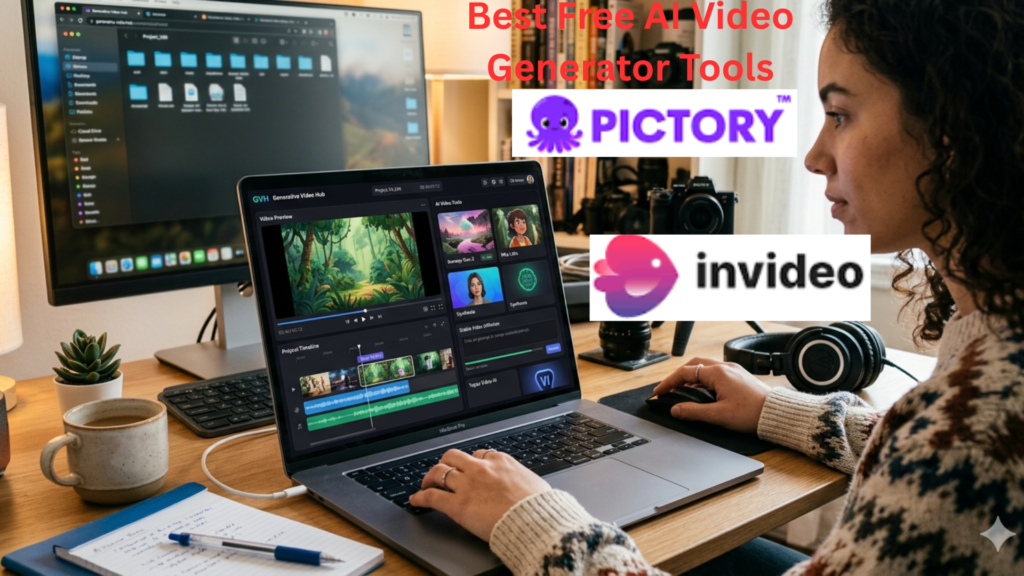
Discover the top free AI Video Generator tools in 2026. Create stunning videos effortlessly with these innovative, easy-to-use platforms for content creators.
Introduction
AI Video Generator tools are transforming the way creators, marketers, and businesses produce videos. In 2026, these platforms have become smarter, faster, and easier to use—allowing anyone to create professional-quality videos without a steep learning curve. Whether you’re a social media creator, a marketer, or simply looking to make engaging content, the right AI Video Generator can save you time, enhance creativity, and elevate your content strategy.
In this guide, we’ll explore the best free AI Video Generator tools of 2026, their features, pros, cons, and practical tips for getting the most out of them. By the end, you’ll know exactly which platform suits your needs.
Table of Contents
- What is an AI Video Generator?
- Benefits of Using AI Video Generators
- Top Free AI Video Generator Tools in 2026
- 3.1 Pictory
- 3.2 Synthesia
- 3.3 Lumen5
- 3.4 InVideo
- 3.5 Runway
- How to Choose the Right AI Video Generator
- Step-by-Step Guide to Creating Videos with AI Tools
- Best Practices for AI Video Creation
- Common Mistakes to Avoid
- FAQs About AI Video Generators
- Conclusion
1. What is an AI Video Generator?
An AI Video Generator is a software tool that uses artificial intelligence to help users create videos automatically. Instead of manually editing clips, adding transitions, or writing scripts, AI-powered tools analyze your input—text, images, or audio—and generate professional-looking videos in minutes.
Key features often include:
- Automated script-to-video conversion
- AI voiceovers and text-to-speech
- Scene recommendations and video templates
- Automatic background music and effects
2. Benefits of Using AI Video Generators
Using an AI Video Generator offers multiple advantages:
- Time-Saving: Quickly generate videos without spending hours editing.
- Cost-Efficient: Free or affordable alternatives reduce production costs.
- Professional Quality: AI tools often include templates and effects used by top brands.
- Creative Flexibility: Customize videos while letting AI handle repetitive tasks.
- Multi-Platform Ready: Create videos optimized for TikTok, YouTube, Instagram, and more.
3. Top Free AI Video Generator Tools in 2026
3.1 Pictory
Overview: Pictory automatically converts long-form content like blogs or scripts into engaging short videos.
Features:
- Text-to-video AI
- Auto-captioning and summarization
- Library of stock footage and music
Pros: Easy for beginners, fast video creation
Cons: Limited free export quality
3.2 Synthesia
Overview: Synthesia specializes in AI-generated avatars and voiceovers, ideal for explainer videos.
Features:
- Custom avatars
- 120+ languages
- Script-based video generation
Pros: Professional and realistic AI voices
Cons: Free plan has watermark
3.3 Lumen5
Overview: Converts blog posts or articles into videos using AI.
Features:
- Drag-and-drop editor
- AI scene suggestions
- Auto-matching music to scenes
Pros: Great for marketing content
Cons: Limited customization in free version
3.4 InVideo
Overview: Offers versatile templates for marketing, social media, and tutorials.
Features:
- 5000+ templates
- AI text-to-video
- Voiceover and transitions
Pros: Beginner-friendly, lots of templates
Cons: Free plan includes watermark
3.5 Runway
Overview: Advanced AI tool for video editing and generation with creative freedom.
Features:
- AI video editing tools
- Green screen replacement
- Style transfer and generative media
Pros: High-quality, creative flexibility
Cons: Learning curve slightly steeper
4. How to Choose the Right AI Video Generator
Consider the following factors:
- Purpose: Marketing, social media, tutorials, or personal projects.
- Ease of Use: Look for intuitive interfaces if you’re a beginner.
- Export Quality: Free versions may limit resolution.
- Customization Options: Templates, avatars, music, and effects.
- Language Support: Essential if targeting international audiences.
5. Step-by-Step Guide to Creating Videos with AI Tools
Step 1: Choose your AI Video Generator (Pictory, Lumen5, etc.)
Step 2: Input your content (text, script, or blog link)
Step 3: Select a template or let AI auto-generate scenes
Step 4: Customize video:
- Add images, clips, and logos
- Adjust colors, fonts, and transitions
- Select AI voiceover or upload audio
Step 5: Preview the video
Step 6: Export and download in the desired format
6. Best Practices for AI Video Creation
- Keep videos short and engaging (60–120 seconds for social media).
- Use clear and concise text for AI-to-video tools.
- Add subtitles for better accessibility and engagement.
- Optimize videos for different platforms (aspect ratio, length).
- Test multiple AI tools to find the best fit for your style.
7. Common Mistakes to Avoid
- Overloading video with text or effects
- Ignoring platform-specific formats
- Using AI-generated content without review (always proofread)
- Relying solely on AI without adding personal touches
8. FAQs About AI Video Generators
Q1: Are AI video generators really free?
Some tools offer limited free plans, but premium features like HD exports may require a subscription.
Q2: Can I use AI-generated videos for commercial purposes?
Most platforms allow it, but always check the license agreement for stock footage or AI avatars.
Q3: Do I need video editing skills to use AI video generators?
No, these tools are beginner-friendly and automate most of the editing process.
Q4: How long does it take to create a video using AI?
Depending on length and complexity, most tools can generate a video in minutes.
Q5: Can AI create voiceovers in multiple languages?
Yes, tools like Synthesia and Pictory support 100+ languages.
Q6: Are AI videos suitable for social media marketing?
Absolutely. Short, engaging videos perform well on TikTok, Instagram, and YouTube Shorts.
Q7: Is AI video generation secure and private?
Most reputable tools maintain user privacy, but avoid uploading sensitive information unless confirmed.
Conclusion
AI Video Generator tools in 2026 are a game-changer for creators, marketers, and businesses. Free tools like Pictory, Synthesia, Lumen5, InVideo, and Runway make professional video creation accessible to everyone. By leveraging these platforms and following best practices, you can create engaging, high-quality videos quickly and efficiently.
The future of video content is AI-powered, and now is the perfect time to start experimenting with these tools to elevate your content strategy.
Suggested Blog Categories
- AI Tools & Technology
- Video Marketing
- Content Creation Tips
- Digital Marketing
- Social Media Strategy
Suggested SEO Tags
- AI Video Generator
- Free AI Video Tools
- AI Video Software
- Video Marketing Tools
- Content Creation AI
- 2026 Video Creation